
Why Is Your Nissan Key Fob Not Working?
If your Nissan key fob is not working, you are not alone — and you almost certainly don’t need to pay a dealer $150+ to fix it. The vast majority of Nissan key fob failures come down to three fixable causes: a dead battery, a lost sync between the fob and your car’s ECU, or a minor programming glitch. In most cases, you can fully resolve the issue in under two minutes, right in your driveway.
Quick Answer: Why is my Nissan key fob not working? The most common reasons are a depleted CR2032 battery, accidental de-programming caused by a jump-start or battery replacement, or signal interference. All three are fixable at home with zero special tools.
This guide covers every Nissan model — Altima, Rogue, Sentra, Pathfinder, Frontier, Murano, Kicks, Versa, and more — from 2003 through 2026. Let’s fix it right now.
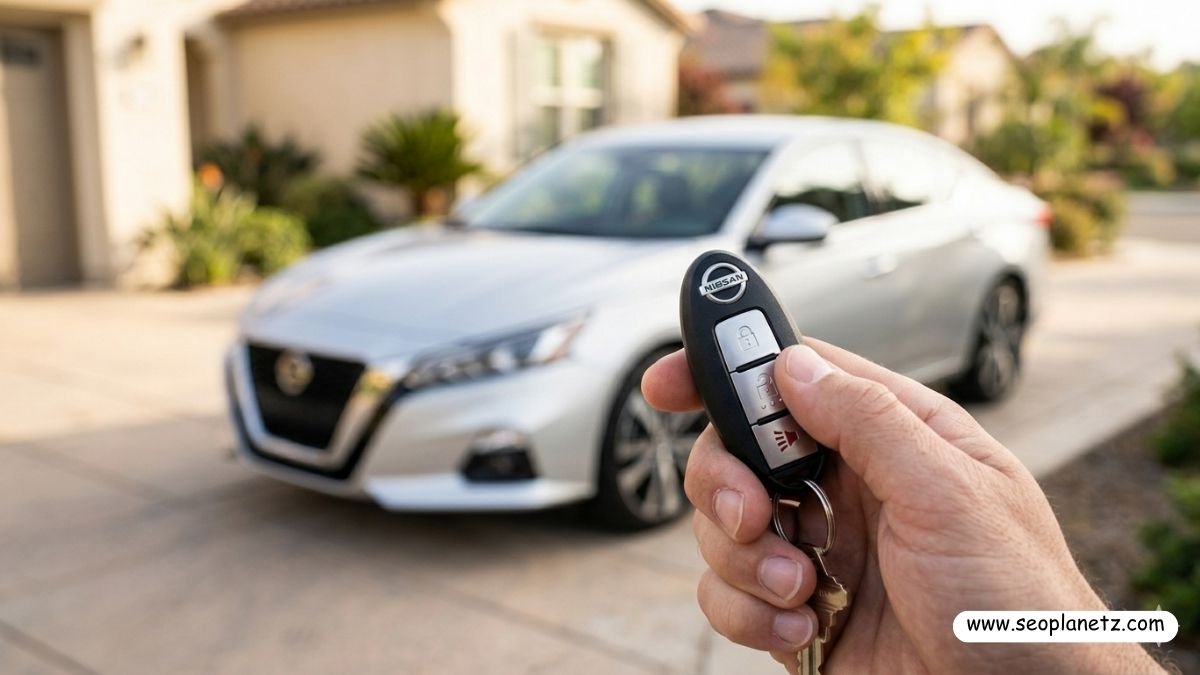
Why Is Your Nissan Key Fob Not Working? (Root Causes First)
Before jumping into the reset steps, it helps to understand what actually goes wrong. Your Nissan Intelligent Key communicates with the car through a low-frequency radio signal. When that signal fails, it’s almost always one of these causes.
Dead or Weak Battery is responsible for roughly 70% of all key fob failures. The CR2032 coin cell battery inside your fob has a lifespan of 1–3 years depending on usage. A weak battery won’t necessarily kill the fob completely — it may just cause inconsistent range, requiring you to hold the fob inches from the door handle instead of working from 30+ feet away.
Lost Programming / De-sync happens when your car’s 12V battery is disconnected, replaced, or fully drained. The ECU can lose its stored key fob ID during a power interruption, meaning your fob is physically fine but the car no longer recognizes it.
Damaged Key Fob is less common but real — a cracked circuit board from a drop, water intrusion, or worn buttons can cause partial or total failure. According to Nissan’s official owner support portal, physical damage to the Intelligent Key unit requires factory replacement rather than reprogramming.
Signal Interference near high-voltage power lines, large parking structures, or certain aftermarket accessories can temporarily block the signal. If your fob works fine at home but fails at a specific location repeatedly, interference is almost certainly the cause.
What You Need Before Starting (Nissan Key Fob Not Working)
You need zero tools for Steps 1 and 2. For Step 3, all you need is:
- Your Nissan key fob (even a non-working one)
- Your car’s physical metal emergency key blade (slides out of the fob)
- 5 minutes of time
- Optional: a fresh CR2032 battery (~$3 at any pharmacy or auto parts store)
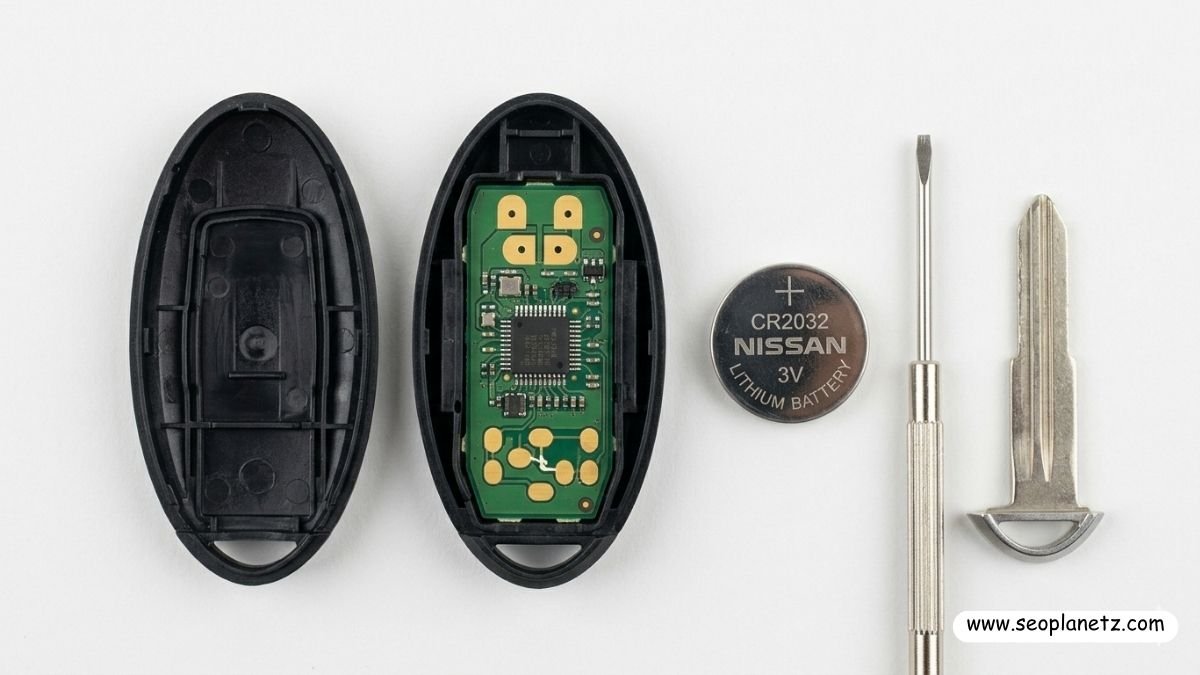
Step 1 — Replace the Key Fob Battery (Most Problems End Here)
This solves the problem for the majority of Nissan owners. Don’t skip this step assuming the battery is fine — even a “new” battery can be a dud from a bad shelf batch.
How to open your Nissan key fob: Locate the small release tab or button on the back of the fob — usually near the key ring hole. Slide or press it to release the metal emergency key blade. Once the blade is removed, you’ll see a small slot or notch on the edge of the fob casing. Insert a flat-head screwdriver or a coin and gently twist to pop the two halves apart.
Replacing the battery: The battery you need is a CR2032 3V lithium coin cell — standard across virtually all Nissan key fobs from 2005 onward. Note the orientation (positive side up on most Nissan fobs). Pop the old battery out, insert the new one, and snap the fob casing back together firmly.
Test immediately: Stand about 10 feet from the car and press Lock or Unlock. If the car responds, you’re done. If not, move to Step 2.
Pro Tip on Batteries: Always buy Panasonic, Energizer, or Duracell CR2032 cells. Cheap no-name batteries from dollar stores often read full voltage on a multimeter but fail under the actual load of a key fob transmitter circuit. This is an extremely common trap — people replace the battery, it doesn’t work, and they assume the fob is broken when the battery is simply low quality. The Battery Council International notes that counterfeit and substandard batteries are a growing issue in the US retail market.
Step 2 — Reset and Resync the Key Fob to Your Nissan
If a new battery didn’t solve it, your fob has lost its sync with the car’s ECU. This step fixes the extremely common “Nissan key fob not working after battery change” problem.
This procedure works on the vast majority of Nissan models including Altima (2007–2026), Rogue (2008–2026), Sentra (2013–2026), Pathfinder (2013–2026), Frontier (2005–2026), Murano (2009–2026), Kicks (2018–2026), and Versa (2012–2026).
Follow these steps exactly:
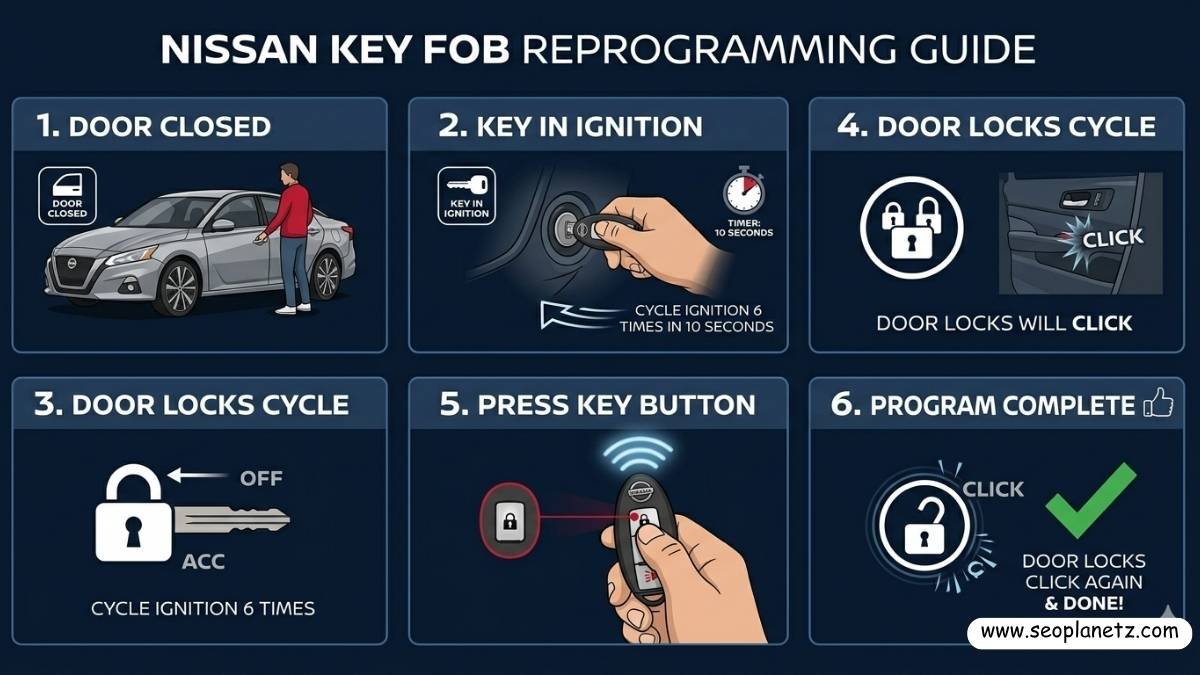
2a: Get inside the vehicle and close ALL doors. An open door will break the programming cycle.
2b: Insert your key fob into the ignition — or for push-button Intelligent Key models, hold the fob against the start button’s backup reader ring.
2c: Without starting the engine, turn the ignition to the “ACC” or “ON” position 6 times within 10 seconds. On the 6th turn, leave it in the ON position. You will hear the door locks cycle — a single “click-clunk.” This confirms programming mode is active.
2d: Within 5 seconds of hearing the lock cycle, press any button on your key fob once. The locks will cycle again — this confirms the fob has been successfully programmed.
2e: If you have a second key fob, press a button on it within 5 seconds as well.
2f: Turn the ignition off, step out, close the door, and test from 10+ feet away.
For push-button Nissan models (2017+), press the START button without your foot on the brake 6 times within 10 seconds instead of cycling with a physical key. The lock cycle confirmation is identical.
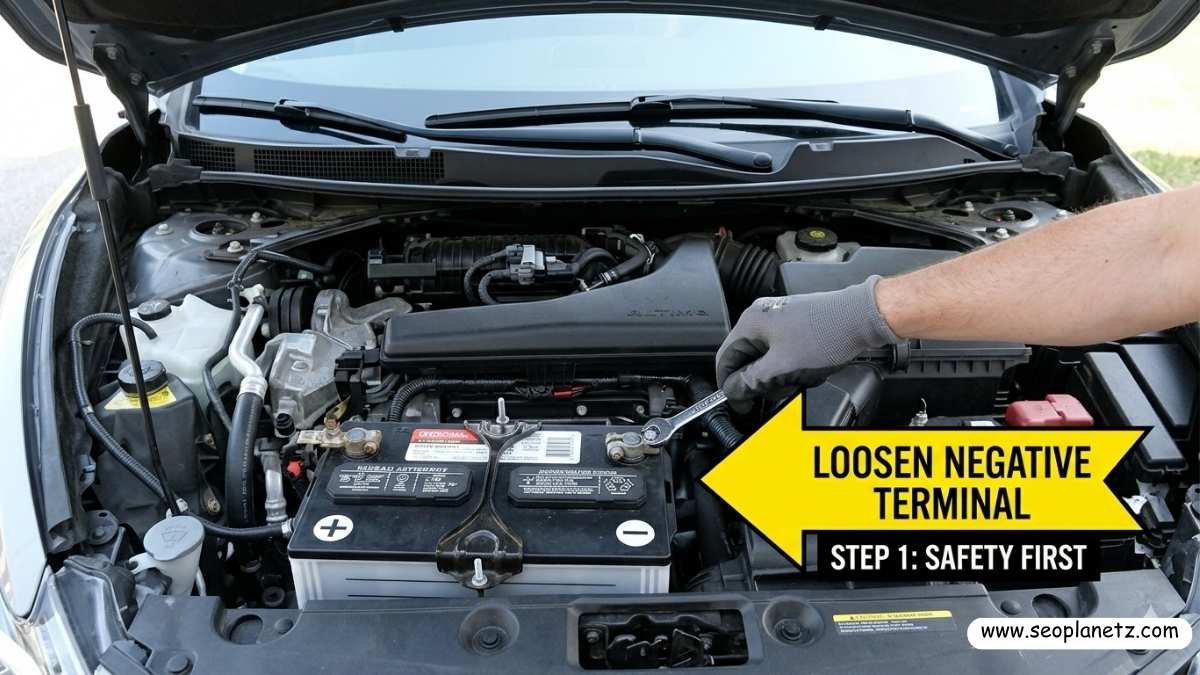
Step 3 — Hard Reset via Battery Disconnect (Last Resort Before the Dealer)
If Steps 1 and 2 haven’t resolved the issue, a full ECU reset via 12V battery disconnection often clears corrupted memory that’s blocking key fob recognition. The National Institute for Automotive Service Excellence (ASE) recommends this as a standard first step before any dealer-level diagnostic on ECU communication faults.
Important: This will reset your radio presets and trip computer data. It will NOT affect your odometer, transmission memory, or core vehicle programming.
The Procedure:
Open the hood and locate the 12V battery. Using a 10mm wrench, loosen the negative terminal clamp (black cable, minus sign) and slide it off. Do NOT disconnect the positive cable.
Wait a full 15 minutes. The ECU has capacitors that hold residual charge — 5 minutes is not enough. During this wait, press and hold the brake pedal for 30 seconds to drain remaining electrical charge faster.
Reconnect the negative terminal and tighten securely. Now repeat the Step 2 reprogramming procedure. In most cases, this combination fully resolves even stubborn Nissan key fob sync failures.
Nissan Key Fob Reset by Model: Quick Reference Table
| Model | Years | Reset Method | Special Notes |
|---|---|---|---|
| Nissan Altima | 2007–2026 | Steps 2 & 3 | Works on all trims |
| Nissan Rogue | 2014–2026 | Step 2 | Push-button: press START 6x |
| Nissan Sentra | 2013–2026 | Steps 2 & 3 | 2020+ needs dealer for 4th key |
| Nissan Pathfinder | 2013–2026 | Step 2 | R53 gen needs CONSULT for 3+ fobs |
| Nissan Frontier | 2005–2026 | Steps 1 & 2 | Usually just battery replacement |
| Nissan Murano | 2009–2026 | Steps 2 & 3 | Z52 gen: lock cycle may be subtle |
| Nissan Kicks | 2018–2026 | Step 2 | Push-button only — no ignition key |
| Nissan Versa | 2012–2026 | Steps 1 & 2 | CR2032 depletes faster on base trim |
| Nissan 370Z | 2009–2020 | Steps 2 & 3 | Full reset preferred on sports ECU |
When DIY Won’t Work: Know Your Limits
These three steps resolve roughly 85–90% of Nissan key fob problems. However, some situations do require professional help:
A physically damaged fob with a cracked PCB or corroded battery terminals cannot be reprogrammed — it needs replacement. A new OEM Nissan key fob costs $45–$95 online, and any Nissan dealer or automotive locksmith can program it for $50–$80. For verified replacement parts, Nissan’s official parts portal lists genuine OEM fob units by model and year.
If you’ve exceeded the maximum key fob limit — most Nissans store a maximum of 4 fobs — you’ll need a dealer with a Nissan CONSULT-III Plus diagnostic tool to clear stored keys and start fresh.
A failed Intelligent Key Control Unit (BCMB module) is rare but real. Symptoms include the KEY warning light staying on permanently and the push-start button not responding at all. The NHTSA complaint database contains owner-reported Intelligent Key module failures by model year — a useful resource to check if your specific model has a known pattern issue.
DIY Reset vs Dealer: Cost Comparison
| Factor | DIY Reset | Dealer Visit |
|---|---|---|
| Cost | $0–$5 (battery only) | $80–$200 |
| Time | 5–15 minutes | 1–3 hours |
| Convenience | Do it anywhere | Requires appointment |
| Success Rate | ~85–90% | ~99% |
| Works for 4th+ key | No | Yes |
| Handles module failure | No | Yes |

Frequently Asked Questions
How do I reset my Nissan key fob?
Enter the car, close all doors, and cycle the ignition key to ON 6 times within 10 seconds. When you hear the door locks click, programming mode is active. Press any button on the key fob within 5 seconds. The locks will click again confirming successful programming. Turn the ignition off and test from outside the vehicle.
Why is my Nissan key fob not working after I changed the battery?
Changing the battery can cause the fob to lose its programmed sync with the ECU — this is very common and doesn’t mean the fob is broken. Simply repeat the Step 2 reprogramming procedure after every battery swap to restore full function. This is the single most overlooked step by Nissan owners.
Can I program a Nissan key fob myself without a dealer?
Yes — for up to 4 key fobs on most Nissan models, the ignition-cycle method works without any tools or dealer equipment. Only vehicles needing a 5th+ fob or those with a failed Intelligent Key Control module require the Nissan CONSULT-III Plus professional scan tool available only at dealerships.
How long does a Nissan key fob battery last?
Typically 1–3 years depending on usage. Heavy remote start use — common in cold climates — shortens battery life to 12–18 months. Most 2015+ Nissan models display a “Key Fob Battery Low” warning in the instrument cluster before the battery fails completely, giving you advance notice.
What battery does a Nissan key fob use?
Virtually all Nissan key fobs from 2005–2026 use a CR2032 3V lithium coin cell. A small number of pre-2004 models used CR2025 cells — always check the inside of your fob casing for the printed battery specification before purchasing a replacement.
My Nissan key fob works on locks but not remote start — why?
Remote start uses a separate channel and has additional operating conditions: the hood must be fully closed, no fault codes stored in the ECU, and the car must have been running recently on some models. If locks work but remote start doesn’t, check that the hood latch sensor is fully engaged and verify there are no warning lights on the dashboard. The EPA’s vehicle inspection checklist provides useful background on onboard diagnostics that can affect remote systems.
Can a dead car battery cause the key fob to stop working?
Yes. When your car’s 12V battery dies fully, the ECU loses stored key fob programming on some Nissan models. After jump-starting or replacing the car battery, you may need to reprogram the fob using Step 2. This is one of the most common — and most overlooked — causes of sudden key fob failure following a dead battery event.
How much does a Nissan key fob replacement cost?
A replacement OEM Nissan key fob costs $45–$95 purchased online. Dealer programming adds $50–$80. An automotive locksmith typically charges $120–$180 total including the fob and programming. Buying the fob yourself and taking it to a locksmith for programming is usually the most cost-effective route for most owners.
Final Verdict
Your Nissan key fob not working is almost always a battery, sync, or ECU memory issue — not a hardware failure requiring expensive dealer visits. Follow the three steps in order: replace the CR2032 battery with a quality brand name cell, run the ignition-cycle reprogramming sequence, and if needed, perform a full 15-minute battery disconnect reset.
Nine out of ten Nissan owners who follow these exact steps resolve the issue completely without spending a dollar at the dealer. Keep a spare CR2032 in your glovebox, reprogram after every battery swap, and your Nissan Intelligent Key will give you years of trouble-free service.